Self-hosted business data
Business records from Google Maps, collected by keyword and place.
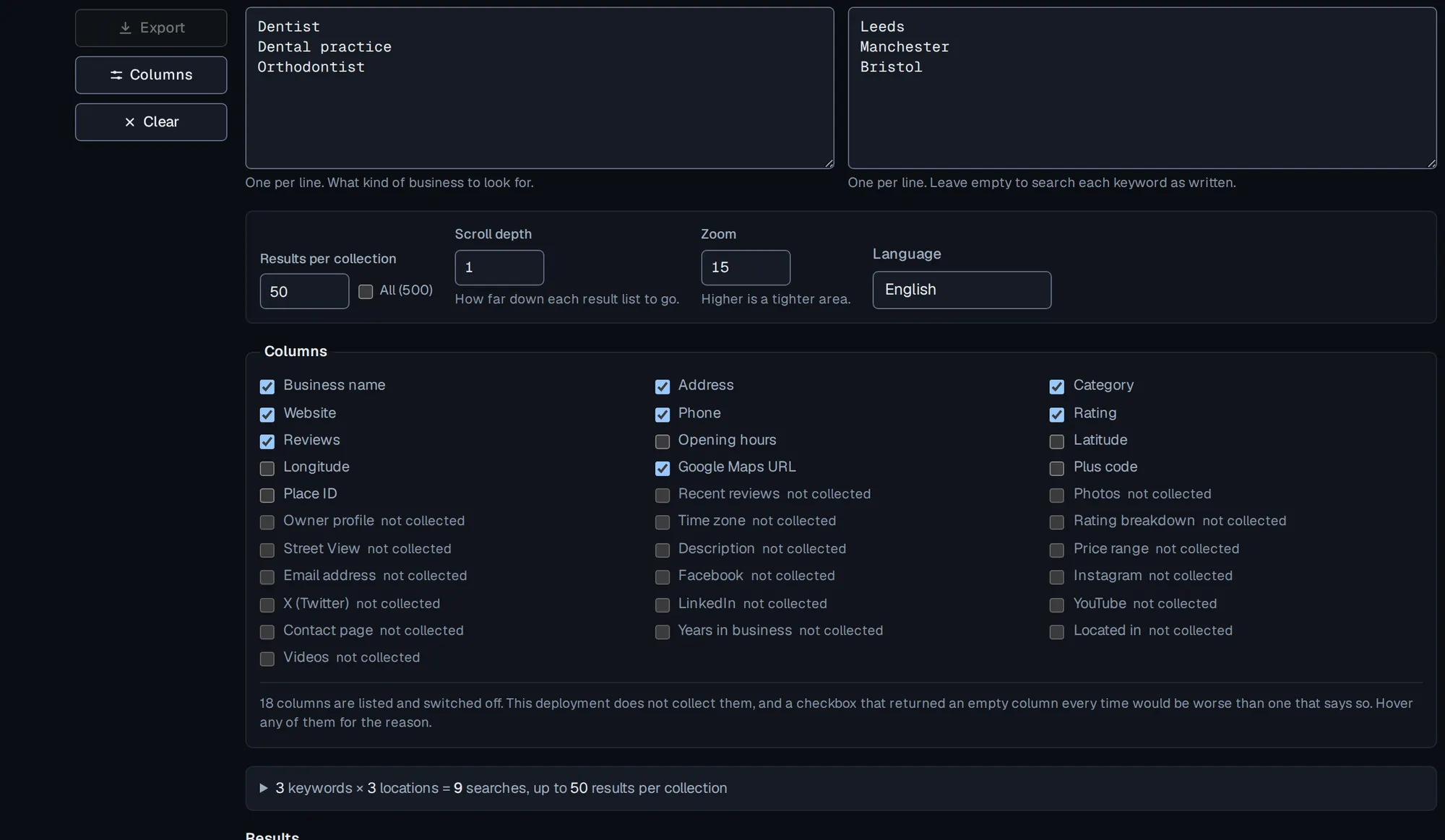
Give it your keywords and the places you want them in. It collects the listings, folds duplicates together, and gives you one row per business — name, address, phone, website, category and rating — as a spreadsheet or posted to an address you control.
Four stages, and you only type the first.
01
Your keywords × your locations
Two lists, one entry per line. Every combination becomes its own search.
02
Collect from Google Maps
The engine works through the searches one at a time and records what each listing published.
03
Check and de-duplicate
The same business found twice becomes one record, matched on the identifier the listing carries.
04
Export, or post it onward
A spreadsheet you download, or a JSON document posted to an address you control.
A job runs at most ten searches, so a large plan becomes a campaign that works through its list rather than one long request. The engine searches one at a time, and the form says how many searches your lists come to, and roughly how long that is, before you start.
What comes back
One row per business, not per page.
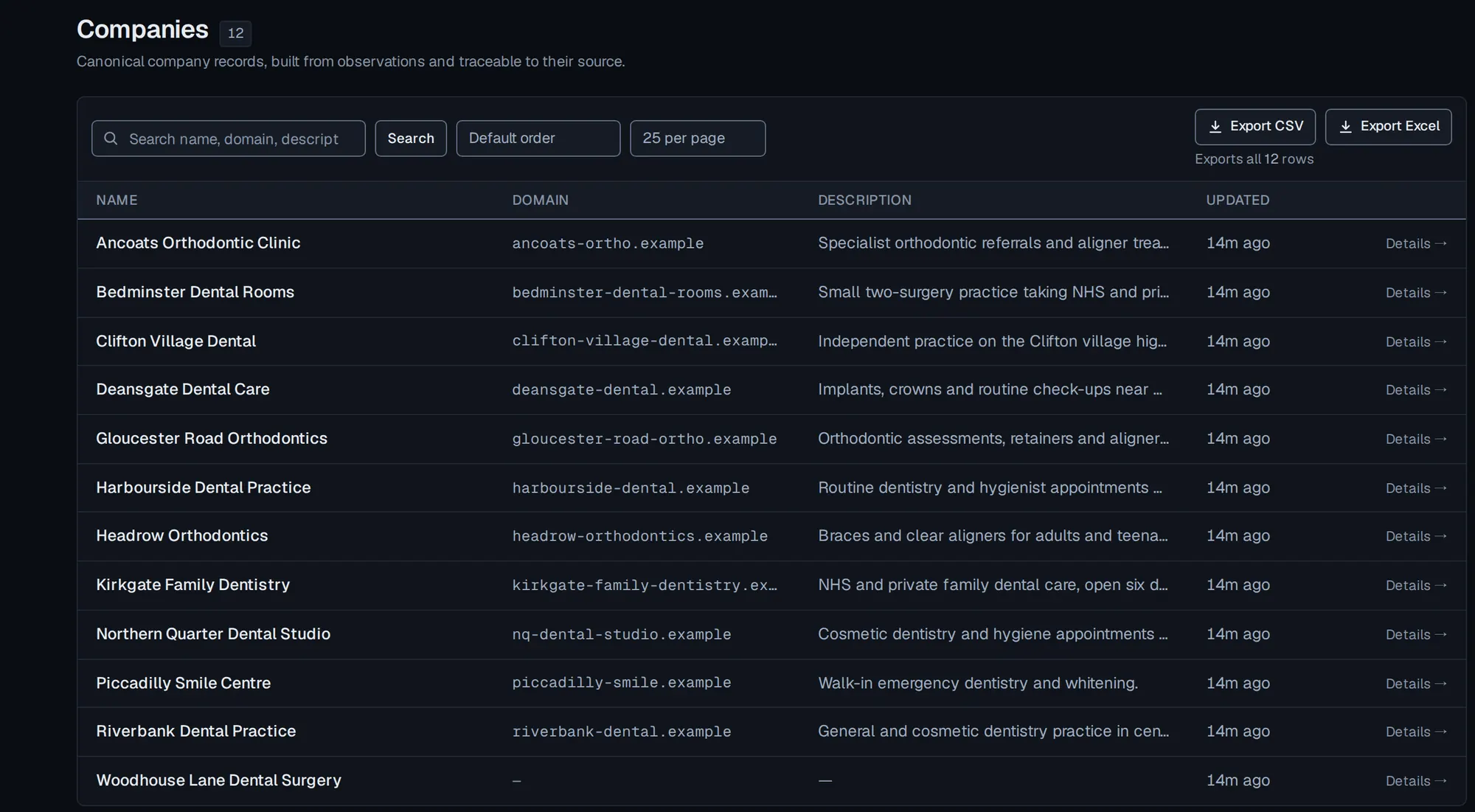
Every record is a business rather than a person: what the listing published, folded together when the same place turns up in more than one search.
The export, column for column
- Name
- Domain
- Website
- Phone
- Language
- Description
- Category
- Address
- Latitude
- Longitude
- Rating
- Review count
- Opening hours
- Listing URL
- Place ID
- CID
Cells are filled from what the listing published, so some are empty for businesses that published less. Language is never filled from this source at all, and Description has been empty in every row measured. There is no email column, because this source does not return one.
Who it is for
Teams that need a list of businesses they can check.
- Building a list of businesses
- Every practice, garage or agency of a given kind across the towns you name, as one structured table.
- Keeping one current
- Collect the same plan again and the records update in place rather than arriving as a second copy.
- Handing it to someone else
- A spreadsheet, or a signed JSON document posted to whatever your team already runs.
Not a people-finder. A Google Maps listing carries no email address, so nothing here invents one. Collecting a company's own site can pick up a contact address that site publishes — that is a page stating it, recorded with the source, and it is the only way a person's name enters at all.
Why you can trust a value
Every value knows where it came from.
The record keeps what the source printed alongside what was stored, and which collection produced it. Open a company in the app and each field carries that history. Nothing is guessed, and a field the source never stated is left empty.
phone
“(020) 7946 0958”
normalize_phone()
“02079460958”
company name
“Bright Smile Dental Ltd.”
normalize_company_name()
“bright smile dental”
domain
“https://Example.COM/about?ref=1”
normalize_domain()
“example.com”
The middle row produces a match key — the form two records are compared on. The name a source printed is kept and shown unchanged.
What the source printed → what was stored
foundedone field, one record
the source said nothing
no rule runs
left blank
Illustrative inputs. Each stored value is what the rule returns.Provenance
Five seconds
The moment it happens.
A fragment as the source printed it, the value that was stored, and the field where nothing was stored at all — because the source never stated it.
Silent, and it does not start on its own. Drawn from the site's own palette, and every value in it is one the code produces.
+70
companies re-derived from evidence already held
Measured 13–14 August 2026
Seventy companies came back. Nothing was collected again.
Raw observations and canonical records live in separate tables. When matching improved, the records were simply derived again from evidence already on hand — so a repair that would otherwise have cost another pass over the web cost none.
| What moved | Count |
|---|---|
| Pages fetched again | 0 |
| Raw observations rewritten | 0 |
| Companies re-derived | +70 |
The second row is structural, not luck: a raw observation cannot be rewritten, and saving one twice raises. What has actually been verified.
Positions the code takes, whether or not you ask.
- 01Email addresses
- Google Maps collection does not return them. The screen above lists that column greyed out rather than offering a tick that would come back empty.
- 02Another tenant
- A record you may not reach answers 404, not 403. A 403 would confirm it exists.
- 03A missing value
- Stays blank. Nothing is borrowed from elsewhere, and old rows were never back-filled: an invented fragment in the evidence table is worse than an empty one.
- 04LinkedIn
- Permanently refused. There is no LinkedIn connector to switch on: the one that was declared and refused has been removed.
Read further
What it does with the data
Datasets that stay current, one change stream, and quality that counts rather than guesses.
How collection works
The connector boundary, the guarded fetch, and where the isolation actually is.
What is proven
The gates, the dated results, and an explicit list of what none of it settles.
NanoScraper is run by one operator and there is no open registration — every account is created by the operator, or with an invite code the operator issued.